TECH ADVICE

Science and Technology

  • Home
  • Sitemap
  • About Us
  • Privacy Policy
  • Contact Us
  • Home
Showing posts with label Special Tricks. Show all posts

Thursday, 2 February 2017

How To Delete An Instagram Account Permanently

 Psk4u     17:58     Special Tricks     19 comments   

How To Delete An Instagram Account Permanently

How do I delete my account?

Here are the instructions to permanently delete or remove an Instagram account.

To permanently delete your account:

  1. Go to the Delete Your Account page. If you're not logged into Instagram on the web, you'll be asked to log in first. You can't delete your account from within the Instagram app.
    How To Delete An Instagram Account Permanently
  2. Select an option from the drop-down menu next to Why are you deleting your account? and re-enter your password. The option to permanently delete your account will only appear after you've selected a reason from the menu.
    How To Delete An Instagram Account Permanently
  3. Click or tap Permanently delete my account. 

Note:

  • When you delete your account, your profile, photos, videos, comments, likes and followers will be permanently removed. If you'd just like to take a break, you can temporarily disable your account instead.
  • After you delete your account, you can't sign up again with the same username or add that username to another account, and we can't reactivate deleted accounts.


 

Read More
  • Share This:  
  •  Facebook
  •  Twitter
  •  Google+
  •  Stumble
  •  Digg
loading...

Tuesday, 31 January 2017

Trick To Buy Redmi Note 4 on 3rd February Flash Sale

 Psk4u     16:28     Hacking Tricks, Special Tricks     2 comments   

Trick To Buy Redmi Note 4 on 3rd February Flash Sale

Trick To Buy Redmi Note 4 on 3rd February Flash Sale

Redmi Note 4 is a Xiaomi MI brand, Xiaomi Inc. is a privately owned Chinese electronics company headquartered in Beijing. It is the world’s 4th largest smartphone maker. Xiaomi designs develop, and sells smartphones, mobile apps, laptops, and related consumer electronics.

As you might be well very well aware of REDMI NOTE 4 Features and specifications yet here is a small overview:
  1. 3 GB RAM | 32 GB ROM | Expandable Up to 128 GB.
  2. 5.5 inch Full HD Display.
  3. 13MP Primary Camera | 5MP Front.
  4. 4100 mAh Li-Polymer Battery.
  5. Qualcomm Snapdragon 625 64-bit Processor.

Trick Buy REDMI NOTE 4 on 3rd February

Follow the steps below to get this thing working for you.

  • First Make sure you are on Google Chrome, If not download it from Here: Standalone Installer Google Chrome.
  •  Now add Flash sale Helper extension from HERE.
    Trick To Buy Redmi Note 4 on 3rd February Flash Sale
  • After adding extension now click on Flash sale helper and select the product which you want to add to your cart.
    Trick To Buy Redmi Note 4 on 3rd February Flash Sale
  • That’s it leave rest to Flash sale Helper it will add REDMI NOTE 4 automatically to your shopping cart once the flash will begin.

Here is a video tutorial about the same:

Let us know if you have any query suggestions related to this trick to buy Redmi note 4 on next flash sale exclusive on Flipkart. 
Read More
  • Share This:  
  •  Facebook
  •  Twitter
  •  Google+
  •  Stumble
  •  Digg
loading...

Tuesday, 24 January 2017

Phone Gets Hot While Charging – Solution

 Unknown     15:48     Special Tricks     No comments   


Phone Gets Hot While Charging – Solution
Hello friends,
Today There is so many Android Phone Gets Hotter While Charging. I just have bought the
new phone and when I charging my phone it gets hotter. but after I read about this is not a problem on the phone this is a normal that today phone gets warmer while charging most of the Android phones that have quad core processor gets hotter while charging. cause there is so hot in nowadays a main reason and the other reason is that there is quad core processor is ringed is have and it becomes hotter faster than other processor and also it gives the excellent and rapid performance so while charging it becomes warmer. when your using wifi or suing the internet in your phone while charging it becomes actually hotter in just some minutes. this is not a problem in phones, but I really don’t like when my Phone Gets Hotter While Charging so I need to find some solutions. what to do while charging that my phone is not getting hotter. I found some ways to keep your phone cool while charging or while using the phone that your phone will not get hotter so here is some of my idea’s.

Solution’s:

  • One of the most common reasons for heating up of smartphones during a charge cycle is their continuous use. If you continue to use your smartphone while it is being charged, it can allow the smartphone to heat up a lot and prevent you from using it because it’s too hot. This problem occurs because when you start using your phone, it uses up the battery and the battery is then charged and discharged at the same time.
  • If you have AC in your room on your Ac while charging with this phone is not getting hotter while charging not a great but working idea.😀😀
  • switch off your android phone while charging this will actually effect and your phone is not getting warmer and it’s like same as room temperature.
  • If your phone is of the kind that supports QUALCOMM’s Quick Charging, it is highly probable that your phone manufacturer shipped your phone with a Quick charger, which basically supplies higher current and voltage to your smartphone in order to charge it at a rapid rate. If you’re in a hurry, this feature is really helpful but if you are charging your phone overnight and don’t really care for a quick charge, you should consider using a non-quick charger as it will not heat your phone up and allow a slow charge to your device.
    Phone Gets Hot While Charging – Solution
  • If you don’t want to switch the mobile phone off, at least do not use it or do not run many applications while the phone is being charged.
    Phone Gets Hot While Charging – Solution
  • remove back the cover of your phone while charging it will actually effect and phone not become hotter I just do this sometimes.
  • keep your phone in cold places. not a very idea all the time but working some time.😁
  • if you have Sony Xperia Z then while charging keep your phone in water.😂😂😋
These are the idea’s that I found to make your phone cool to the same temperature. I found this when you charge your phone actually phone’s battery not getting much hotter is the processor that become hotter and don’t be afraid your phone’s battery will not gonna explode it stays cool just become the hotter cause of phone gets hot. I just watched this in my phone’s battery is simple as cool but
where is the processor that place becomes hotter so I use that my idea’s I show there not good but safe.
Read More
  • Share This:  
  •  Facebook
  •  Twitter
  •  Google+
  •  Stumble
  •  Digg
loading...

Wednesday, 18 January 2017

How to Unsubscribe All Unwanted Emails or Newsletter at Once

 Unknown     17:58     How To, Special Tricks     1 comment   


Unsubscribe All Unwanted Emails or Newsletter at Once

In internet technology all websites need emails for registration after register on it we get many unwanted emails from different different sites or domains. By this we are very upset to unsubscribe one by one daily newly newly unwanted emails come to our gmail so we come with very little trick to unsubscribe all this unwanted emails at once. After this you not getting single emails from unsubscribe domains or sites.

Unsubscribe All Unwanted Emails or Newsletter at Once

How to unsubscribe all unwanted emails in one click:

This are all done by website name is unroll.me this websites get permission to access your mail account don’t worry its safe. Then you see your all subscribed newsletter then you can unsubscribe by clicking single click.

Here’s How to Use Unroll.me to Unsubscribe Unwanted Emails
To unsubscribe a collection of unwanted emails from your Gmail, Yahoo, Microsoft Outlook or other inbox on single click, you can use Unroll.me web tool. 

Here’re the steps to use it:

  • Firstly Visit Unroll.me
Unsubscribe All Unwanted Emails or Newsletter at Once
  • Click on "get started”
  • Now put your email and give permission to access your email account.
  • Now it will scan your mail account for subscribed newsletter.
    Unsubscribe All Unwanted Emails or Newsletter at Once
  • If you don’t want to stop receiving email from any site then put them to RollUp to unsubscribe.
  • Now unsubscribe all In one click also .
  • It will take just little time.
    Done !
Note :- Don’t Unsubscribe like paypal , bank emails and other useful email newsletter.
Read More
  • Share This:  
  •  Facebook
  •  Twitter
  •  Google+
  •  Stumble
  •  Digg
loading...

Sunday, 8 January 2017

Simple Trick to Download Any Torrent Files In Any Browsers

 Psk4u     17:02     Android Tricks, How To, Information Zone, Special Tricks     No comments   

 Simple Trick to Download Any Torrent Files In Any Browsers

Torrents are one of the most popular forms of file sharing on the internet, accounting for over 50% of all internet traffic. However it might be difficult for the newcomers to getting into the torrent scene. Many of us uses uTorrent app to download torrent files, If you’re feeling lazy to switch between your web browser and torrent app, here’s a solution to download torrent files within your favorite browser. So lets proceed and check detailed info about how to to download torrent files within any browser.

 
Simple Trick to Download Any Torrent Files In Any Browsers

How to Download Torrent Files Within Browser?

1. First of all visit this website – Seedr.cc

2. Now click on Sign Up and enter your email and password, tick on terms and conditions and click register with email (Or simply you can sign-up with your facebook account)

3. Now you will see a page like below


Simple Trick to Download Any Torrent Files In Any Browsers

4. Copy any torrent file link or magnet link.

5. Now tap on” +” icon and paste torrent or magnet link and again tap “+” icon.
6. Now you will see torrent has been downloaded in seedr.cc


Simple Trick to Download Any Torrent Files In Any Browsers


7. Now click on the folder and tap on download.

8. Done!! Your torrent file will start downloading within browser


Tags:-Trick to Download Any Torrent Files in india,Trick to Download Any Torrent Files directly,Trick to Download Any Torrent Files in usa, Download Any Torrent Files,how to Download Any Torrent Files
Read More
  • Share This:  
  •  Facebook
  •  Twitter
  •  Google+
  •  Stumble
  •  Digg
loading...

Friday, 6 January 2017

How to Use One Whatsapp No in Two Phones

 Psk4u     10:17     Hacking Tricks, Special Tricks, Whats App     1 comment   

Hey Friends! Today am gonna share you how to use one whatsapp no in two phones.
Everyone has different ways for searching on google like: How to use the same whatsapp account on 2 phones at the same time.
Friends! You all are always searching these types of tricks on the google and bing.
So here i bring you a working exclusive trick . This trick is working Fine and You can use this without any doubts. This post is for all android mobile users on their demand to use one whatsapp account on two phones.

How to Use One Whatsapp No in Two Phones

Trick to use one whatsapp no in two phones :

• At First you need to root your android mobile for use this trick.
• Then download and install Titanium Backup application in both devices.
• Open Whatsapp Messenger in both of your devices.
• Then log in with your Whatsapp account which you have to use in both the phones.
• After that you need to open Titanium Backup application.
• Click on the search button and type “ Whatsapp”.
• Now you can get the result icon list. Click on Whatsapp.
• Then Select the Backup option. It will give backup to your data and take 30 seconds depending on android performance.
• After this Go to file manager and then open Titanium Backup application folder which is in your memory card and internal memory.
• You can see some files here which start wit the name –
Com.whatsapp.
• Here You can see the three files here and you have to transfer those files to another device on which you want to use same Whatsapp account.
• You can send these files to other devices via Bluetooth.
• Make sure that you copy these 3 files into another device in Titanium Backup application folder.
• Just open Titanium Backup application on another device then search for Whatsapp and click.
• Then click Restore option and then select App+ Data method, Select
only data restore.
• If you use data restore method you can use many version of Whatsapp in both devices.

Use one whatsapp no in two phones [Method 2] :

• Open a WhatsApp account on first android phone
• Now on the second Android phone, open the Chrome Android browser
• Click on the top right menu option
Tick the check box “Request Desktop Site” given in the menu list
• Now going on to the first Android phone where your WhatsApp account is already open
• Click on the top right menu option there Select the option WhatsApp Web
• Now scan the “Bar Code” appear on the second phone using the first phone
•That’s it! Your WhatsApp account will appear on the both smartphones.


Enjoy!!!
Read More
  • Share This:  
  •  Facebook
  •  Twitter
  •  Google+
  •  Stumble
  •  Digg
loading...

Thursday, 29 December 2016

Change your IP in less than 1 minute

 Psk4u     17:30     Information Zone, PC Tricks, Special Tricks     No comments   

Change your IP in less than 1 minute

Hey! Today i am gonna tell you that how to change any IP address in less than a minute And one more thing .Sorry for The Late Post because Now a days i am very busy in Study. 
 
SO HERE WE GO

NOTE:- PUT ONE THING IN MIND ALL TRICKS ARE FOR EDUCATIONAL PURPOSE ONLY ..SO BE SMART AND DON'T TRY IN HACKING OR CRACKING.

Here is the 10 most easy quick step method to changethe IP address by changing the properties in LAN (Local Area Netwok):-


Step 1:Click on "Start"→ "Run"  Then Type in "command" or "cmd" and hit OK or press ENTER.
Step 2: In the Command Prompt also known as "MS-DOS" prompt just type "ipconfig /release" & Hit Enter.
Type "exit" and leave the prompt
Step3 :Right-click on "Network Places" or "My Network Places" ---> Click on "properties" .Then Right click on"Local Area Connection"--->Click"properties"
Step 4:Now click on the "Internet Protocol (TCP/IP)" from the list under the "General" tab
Step 5: Click on "Use the following IP address" under the "General" tab
Cool ...Now you can type in your own IP address .
Step 6:Now Press "Tab" and it should automatically fill in the"Subnet Mask" section with default numbers.
Step 7:Hit the "Ok" button twice and you are now back to the"Local Area Connection" screen.
Step 8:Now Right-click back on "Local Area Connection" and go to properties again.
Step 9:Go back to the "TCP/IP" settingsNow , Select "Obtain an IP address automatically"
Step 10:Hit "Ok" twice again
YO...now you have a new IP address However it only changes yourdynamic IP address and not not your ISP/IP address.

Hope you enjoyed this post.....

Read More
  • Share This:  
  •  Facebook
  •  Twitter
  •  Google+
  •  Stumble
  •  Digg
loading...

Friday, 16 December 2016

How To Find Serial Key / Cracks for Any Software (Hindi)

 Unknown     11:53     Hacking Tricks, How To, Information Zone, Other Tricks, PC Tricks, Special Tricks     No comments   

Find Serial Key / Cracks for Any Software !

Once Again i am back with a worth article for my pc members, This time i am going to explain you that how you can "Find Serial Key / Cracks for Any Software !".I assume that most of you use pirated software. Not everyone can afford buying a program like Photoshop, which costs $699. In this case you can use alternative, free software or you can download a pirated, cracked version of the program. There is a vast number of websites out there, where you can find serial numbers and cracks for any program, but most of them aren't safe to use. Actually most of them are spam sites that “bombard” you with full-screen popup ads, or commandeer your computer into a spam-loving Kraken  or Srizbi Botnet army. 
In this post I will show you the most efficient way of downloading cracks and serial numbers without any risk to your pc. This is the part of Hacking/Cracking using "Google hacking".
  
Finding Serial Key using Google :
To Get the serial number from google you have to just follow these steps :
  1. * Go to Google.
  2. * In the search field type : "Software name" 94FBR
  3. * Where, "Software Name" is the name of the item you want to find the serial number for.
  4. * And in google search Results you will get the list of all those websites where the serial key of the required software is available.Thats it !

HOW DOES THIS WORK ?
Quite simple really. 94FBR is part of a Office 2000 Pro cd key that is widely distributed as it bypasses the activation requirements of Office 2K Pro. By searching for the product name and 94fbr, you guarantee two things.
1) The pages that are returned are pages dealing specifically with the product you're wanting a serial for.
2) Because 94FBR is part of a serial number, and only part of a serial number, you guarantee that any page being returned is a serial number list page. 

See these example searches :

Search the following Keywords on Google :-
  1. "Photoshop 7" 94FBR
  2.  "Age of Mythology" 94FBR 
  3. "Nero Burning Rom 5.5" 94FBR


ऐसे पायें किसी भी Software के लिए उसकी Serial Key


जब हम किसी भी सॉफ्टवेयर को अपने फोन या कम्प्यूटर में जब डाउनलोड करके इंस्टॉल करते हैं तो अगर वो सॉफ्टवेयर फ्री वाला है तो अच्छा चलता है। लेकिन जब वह बिना रजिस्ट्रेशन के ना चले तो बात दिक्कत वाली हो जाती है। फिर आप इंटरनेट पर देखते हो उसे के बारे में और उसके क्रैक को। उसे हैक करने की तरकीब देखते हो।
अगर आज हम आपको ऐसी तरकीब बता दे जिस की मदद से हर सॉफ्टवेयर की सीरियल किज आपको बिना कहीं ज्यादा ढुढे ही मिल जायें तो कैसा रहेगा।
अगर देखा भी जाये तो लोग सर्च करके ऐसी कई प्रकार की वेबसाइट्स को ढुढं लेते हैं जहां से उन्हें वे सीरियल नम्बर मिल सकते हैं। हम आपको इससे भी सरल सा उपाय बतायेंगे।
नमस्कार दोस्तों स्वागत है आपका| आज हम आपको बतायेंगे की कैसे हम किसी भी सॉफ्टवेयर की सीरियल नम्बर कैसे पता लगाते हैं। आपको इस काम के लिए किसी अन्य प्रकार के सॉफ्टवेयर की भी आवश्यकता नहीं होगी। फिर भी आप सॉफ्टवेयर्स का सीरियल नम्बर पता कर सकते हैं। तो चलिए शुरू करते हैं।

इस ट्रिक के लिए आपको एक काम तो करना पडेगा। वो काम है आपको अपने वेबब्राउजर में गूगल की थोडी जरूरत जरूर होगी।

सॉफ्टवेयर के लिए सीरियल नम्बर जानने का आसान तरीका

1. ये टिप्स ज्यादा बडी़ नहीं है। इसके लिए आपको सबसे पहले अपने कम्प्यूटर के किसी भी एक वेबब्राउजर को खोलना होगा।
2. अब इसके अन्दर आपको गूगल को ओपन करना पडेगा और जब गूगल खुल जाये तो आपको इसमें केवल कुछ वर्डों को सर्च करना है।
3. गूगल आप सर्च बार के अंदर दो कोमो के अंदर उस सॉफ्टवेयर का नाम लिया दे और उसके बाद में आप 94FBR लिख दें। जैसे पहले सॉफ्टवेयर का नाम "सॉफ्टवेयर " 94FBR.
4. सिर्फ ये लिख कर आपको सर्च करना है। इसके बाद आपको जितने ऑप्शन मिलते हैं उनके नीचे आपको उस सॉफ्टवेयर की सभी सीरियल नम्बर लग जायेगी।
5. आप चाहे तो पहले उदाहरण के लिए किसी भी सॉफ्टवेयर को आजमा सकते हैं।
Read More
  • Share This:  
  •  Facebook
  •  Twitter
  •  Google+
  •  Stumble
  •  Digg
loading...

Thursday, 15 December 2016

How to Use Paytm Without Internet & Smartphone (Hindi)

 Unknown     10:21     How To, Recharge, Special Tricks, Tricks in Hindi     No comments   

How to Use Paytm Without Internet & Smartphone (Hindi)
Paytm has announced a toll-free number 1800-1800-1234 to enable consumers and merchants without an internet connection to pay and receive money instantly and also recharge their mobile phones. This will empower millions of non-smartphone users to go cashless even without a smartphone.

How to USE Paytm Offline Without Internet – 

Send Money Without Sending a Message

1. Create a PayTM account using either your smartphone or using a PC.
2. Add Money to PayTM wallet by Debit/Credit Card or Net banking.
How to Use Paytm Without Internet & Smartphone (Hindi)

That’s it for the setup to use PayTM offline! Now to send money to a phone number you need to follow these steps.

1. Call on 1800-1800-1234 toll-free number via your registered phone number in your PayTM account.
2. Now, your call will be disconnected and you will get a call from PayTM in few seconds.
3. For the first time, you need to setup a PIN for your safety.
4. After the PIN setup is completed.
5. Enter the desired mobile number you want to send money to and after that enter the amount; you want to send.
That is all you have to do for sending money to any PayTM user that too without using the internet!


Last Words:-

This is the best and safe method to Send money from Paytm to anyone Wallet without using the internet. This method lets the users access Paytm Without the internet. So, was this method helpful? If you face any problem regarding this trick. Then. do comment below and don’t forget to share this article with your friends.


How to Use Paytm Without Internet & Smartphone (Hindi)

बिना इंटरनेट के PayTM का प्रयोग कैसे करें

PayTM भारत का सबसे बड़ा डिजिटल वॉलेट एप है, जिसके माध्यम से आप अपने मोबाइल के माध्यम से रीचार्ज, बिल पेमेंट, शोपिंग और अन्य कई प्रकार के भुगतान कर सकते है।
अभी तक Paytm और इन जैसे किसी भी एप को प्रयोग करने के लिए आपको अपने मोबाइल पर इंटरनेट की आवश्यकता होती थी, लेकिन अब बिना इंटरनेट के भी PayTM को प्रयोग करने की सुविधा प्रारम्भ हो चुकी है।

आइए जानते है कि बिना इंटरनेट के PayTM का प्रयोग कैसे करें-

PayTM का बिना इंटरनेट उपयोग

1. PayTM मोबाइल पिन जेनरेट करें:

PayTM पर रेजिस्टर किए गए अपने मोबाइल नम्बर से 180018001234 पर कॉल करें तथा अपना चार अंकों का PayTM मोबाइल पिन जेनरेट करें

2. किसी को भी PayTM से पेमेंट करने के लिए

  1. इसके बाद जब भी आप किसी को पेमेंट करना चाहें तो 180018001234 पर कॉल करें
  2. जिसे पैसे भेजना चाहें उसका मोबाइल नम्बर और राशि डालें
  3. अपना PayTM पिन डाल कर कन्फ़र्म करें।
  4. आपका पेमेंट पूर्ण हो जाएगा।
Read More
  • Share This:  
  •  Facebook
  •  Twitter
  •  Google+
  •  Stumble
  •  Digg
loading...

Sunday, 4 December 2016

How to Compress any Images On Android Without Losing the images Quality

 Psk4u     17:33     Android Tricks, How To, Special Tricks     No comments   

Hi friends today i am going to telling you about a new application which will help you compress your images size and this is not reduce the quality of your image . so this app is going to help you to reduce the picture size and to crop the picture without losing the quality of your picture.many time we need the specified size in online application farms and job application farms so that time we need the application which will help you to compress the picture size. But when we compress the picture we found that we will  loose the quality of the picture. so i am going to telling about
How to Compress any Images On Android Without Losing the images Quality

How to Compress any Images On Android Without Losing the images Quality

  • In The first method your image will be automatically compressed and you don’t need to do anything 
  • In The second method is that you can choose your best settings this is the custom settings which will help you out to compress the images. You can choose your own quality and your own way of editing the images.

  • Download and install the Photo Compress 2.0 Ad-free version from here: <<<<<<<<Download>>>>>>>>
Compress Images On Android
  • Open the application and you will see 2 options in which camera and gallery. You can choose any way to edit the picture.
Compress Images On Android
  • Now, simply load the image and you will see an option of Quick Compress. Just click on it and your image will be compressed.
Compress Images On Android
  • Then click on Replace and Exit and then your image will be replaced with the old image. This makes it clean and doesn’t create too many images and folders.
  • If you want to compress the image manually according to your choice then you can do so with the help of the Compress Button. After loading the image this can be easily done without any issues.
  • Set the quality of the image and then done. This way you can easily compress the images on your Android device.
Compress Images On Android
Read More
  • Share This:  
  •  Facebook
  •  Twitter
  •  Google+
  •  Stumble
  •  Digg
loading...

How To Find Direct Link of Any Movie Using Google Dorks

 Psk4u     17:30     Hacking Tricks, How To, Information Zone, Special Tricks     4 comments   

Hello friends today i am telling you that How To Find Direct Link of Any Movie Using Google Dorks in google.this is very fast and simple to use.when we are using any website to download any movies there we find many fake downloading links and this waste our time and internet also.so please follow steps given below to download any movie directly.
How To Find Direct Link of Any Movie Using Google Dorks

What is Google Dork?

Google dork is very famous now a days this also known as google hacking.when we search any keywords in google search and then the result came out is from google dork.

write site:psk4u.blogspot.com in the Google search. The Google will do the rest here it is the same thing but in different manner. You can also read Wikipedia for more information about this by clicking here Dorks


  • You need a web-browser install any browser of your choice. Which ever you like in my case I am using Google Chrome.
  • Firstly, you need to open Google search from here – Google.com
  • Now, you need to enter the below code in the search box
Movie Name -inurl:(htm|html|php|pls|txt) intitle:index.of “last modified” (mp4|wma|aac|avi)
Direct Link Of Any Movie Using Google Dorks
  • In place of Movie Name. Just enter any of your favourite movie name which you want to download
For example
Conjuring -inurl:(htm|html|php|pls|txt) intitle:index.of “last modified” (mp4|wma|aac|avi)
Direct Link Of Any Movie Using Google Dorks
  • Now, click on search and you will see many search results in the list
Direct Link Of Any Movie Using Google Dorks
  • You can click on any search results of your choice and you will see below given screen
Direct Link Of Any Movie Using Google Dorks
  • Now, You can enjoy the high speed download of any movie in some clicks.

How Does The Works?

Movie Name -inurl:(htm|html|php|pls|txt) intitle:index.of “last modified” (mp4|wma|aac|avi)
In the above given keyword you will see a movie name there you can add any movie name for example conjuring, deadpool, and etc.
inurl(htm|html|php|pls|txt)
  • This means search the movie name in the URL. Most of the times there are name of the keywords given in the link itself, and it will search all the links which are having extensions named as htm, html, php, pls, txt.
intitle:index.of “last modified”
  • It means that this will search for the recent date when the file was uploaded, so that you can get the HD print of the movie and you can download it in blazing fast speed.
mp4|wma|aac|avi)
  • This is easy. Your movie will be searched which is having extension of mp4, wma, aac, avi format only. These sites are FTP (file transfer protocol) sites. Which is meant for downloading the files only.
Read More
  • Share This:  
  •  Facebook
  •  Twitter
  •  Google+
  •  Stumble
  •  Digg
loading...

Thursday, 1 December 2016

Now You Can Open Websites Without Data Connection in Offline Browser

 Psk4u     11:21     Android Tricks, Information Zone, Special Tricks     No comments   


Hi friends Now you can Access any  Websites Without  your Data Connection in your android device with  offline browser app . With this you can use internet while you are offline. Here is Trick to Surf the internet without internet connection when you are offline mode.
data  connection .


In this trick we will use a simple android app apk which is called Offline Browser. from this Offline Browser apk we can access websites without working internet connection from our android phone. Follow below carefully.

What is Offline Browser ?

A offline browser is a simple android app which is design and developed for the offline internet surfing purposes.this is very helpful application.and also available on google play store for free of cost.this is mainly use for saving the website in your android device this is save the website in offline mode on your android device.to use without internet connections...

Requirements :

  • A Working internet connection for one time use only.
  • Offline Browser application apk.>>>>>Download Here
  • An Android phone.

Steps – How To Access Websites Without Internet Connection (Offline Browser):-

  • Firstly download Offline Browser app from here | Download Here
  • Then install and open it in your android phone.
  • Make sure that you have a working internet connection only for first time.
  • Open the app and click on + icon.
screenshot_2016-11-29-11-28-21-251_it-nikodroid-offline
  • Now enter your website address which you want to access in link field and enter the title in title field.
 
  • After entering your all details it will download the whole  website files on next page.

  • After finished your download (100%) now you can access the website without any internet connection.
Enjoy....
Read More
  • Share This:  
  •  Facebook
  •  Twitter
  •  Google+
  •  Stumble
  •  Digg
loading...

Friday, 25 November 2016

How to Create Your Own Android Browser Without Coding

 Psk4u     10:47     How To, Special Tricks     No comments   

Now Create Your Own mobile Browser to surf with Maxthon  to Make Your Browser.  Maxthon Browser Create You Own browser for your mobile phone in android devices.

How to Create Your Own Android Browser Without Coding


Hello friends, today i am gonna to telling  you about  that How To Create  Android Browser Without Coding. So in this post i will show you how to create an android browser easily. You can now build and customize with  Maxthon mobile browser maker. This browser is now available for android.
now a Days We uses many kinds of Browsers like UC browser, Chrome, Mozila Firefox, Maxthon, Safari etc. But do you want to make your own browser > Yes it’s possible with very easy steps which is given below.
Today I will tech you How To Create Your Own Browser trick. With the given below trick you can easily create your own browser. Follow below to create your own browser.
This trick is for Android phones. If you want to create a browser for your Android browser just follow below steps.

How To Create Your Own Android Browser


  1.  First of all Go to This Page..
  2. Then Click the “Make It Now” button.
  3. after this Enter your browser name.
  4. After your name,  upload your own logo to be of 72 x 72px in size, JPG or PNG, < 50KB
  5. Now put browser’s homepage. Your own site or company url.
  6. After that upload a splash screen for your browser.
  7. At put your email, A link to download browser will be sent to your email.
  8. Now click on “Create Android Browser” Button.
  9. Once the creation process is completed, check your email inbox for the download link. Do check your spam folder as well. After downloading the app install on your Android phone.
  10. Enjoy with your own browser.
Read More
  • Share This:  
  •  Facebook
  •  Twitter
  •  Google+
  •  Stumble
  •  Digg
loading...

Monday, 7 November 2016

Data back app to get free Mobile data(Free 25MB Register & refer)

 Psk4u     12:12     Free Internet Data, Special Tricks, Unlimited     No comments   

DataBack App – Free Data Recharge, Databack app [3.8 MB] refunds 2G, 3G and 4G mobile data that you spend on using your favourite apps. Your mobile data refunded + 25 MB per Referral

Data back app to get free Mobile data(Free 25MB Register & refer)Data back app to get free Mobile data(Free 25MB Register & refer)


Databack app refunds 2G, 3G and 4G mobile data that you spend on using your favourite apps. Databack gives you the refund in the form of internet pack recharge. So you will get the internet data back to your internet pack upon using it. 

The app size is just 3.8 MB.

Databack app is also offering 10 MB joining bonus
You will also get 25MB mobile data for every friend who joins using your Invite Code.

The app that refunds your mobile data
  • Use your favourite apps & get data refunded
  • Save upto 1GB data every month
  • Bonus: Get free mobile data in daily contests

How to get free internet data
  1. Install DataBack app HERE.
  2. Enter your email and mobile numbe7
  3. Enter referal code as “PUS58634” , IF NOT YOU WILL NOT GET THE 10 MB JOINING BONUS
  4. View mobile data offers on apps currently on your phone
  5. Start these offers and you will keep getting free mobile data whenever you use these apps
  6. Refer this app to your friends and get 25MB mobile data for every friend who joins using your Invite Code.
 
Read More
  • Share This:  
  •  Facebook
  •  Twitter
  •  Google+
  •  Stumble
  •  Digg
loading...

Friday, 4 November 2016

Secret Video Recorder Pro – Record Secret Video In Background

 Psk4u     14:32     Android Tricks, Special Tricks     No comments   


Secret Video Recorder is app camera help you record secret video in the background without sound and preview.(work like Spy Camera) .Easy use app by one click to Video Recorder Shortcut or one click to Widget.What if you want to use your phone as spy camera?
Secret Video Recorder Pro – Record Secret Video In Background

Generally, our phone’s camera don’t work like spy cam because when we record video it show recording on screen and when we lock phone recording stop.
That is the reason of why we can’t use phone’s camera as a spy cam.
Background Video Recorder is app camera normally help you recording video in the background with option allow enable/disable camera shutter sound and camera preview. With many functions useful as continue recording when screen off or schedule to recording.
Main Feature:
– Record video in background
– Trim video after record
– Enable/disable preview view
– Enable/disable no shutter sound
– Support Night mode makes quality better(Camera color effect)
– Support auto white balance with many options
– Support backup to Google Drive after recording
– Schedule to record video at specific time
– Support change icon of widget
– Support back and front camera
– Easy choose storage location save video with Folder picker
– Unlimited video duration. Easy set time duration which do you want
– Support auto stop recording when device storage low
– Many option for video resolution(HD-720p, Full HD-1080p, 480p…)
– Support security makes app safer while use
– Beautiful user interface with material design

Steps To Record Video In Background:

1.Download Secret Video Recorder Pro App
2.Install & Open App
3.Go to Settings >> View Setting >> Camera
4.Set Camera as Back if you want to record using back camera or Set Camera as Front if you want to record using Front camera.
Secret Video Recorder Pro – Record Secret Video In Background

5.Click big pink button in app or click shortcut Video Recorder  to start and stop record video


Note:
On Android 6.0 Marshmallow to use app please allow all permission required.

Steps For Schedule Video Recording:

1.Open App
2.Swipe right side on schedule recording option.
3.make settings as below as per your requirements.
4.Click on Schedule Button.
5.It will automatically start video recording on given date and time in background.

Note: 

If you are using any task killer or RAM Booster or Battery Saver App then please Whitelist this Background Video Recorder App.

Download Link: Download Secret Video recorder pro
Read More
  • Share This:  
  •  Facebook
  •  Twitter
  •  Google+
  •  Stumble
  •  Digg
loading...

Tuesday, 18 October 2016

Trick To Generate Reliance Jio Barcode From Any 2G/3G Device

 Psk4u     14:03     Hacking Tricks, Network Tricks(Other), Reliance Tricks, Special Tricks     No comments   


 Trick To Generate Reliance Jio Barcode From Any 2G/3G Device
As the Reliance Jio SIM is the recent buzz all over the country, everyone wants to grab hold of one to enjoy the benefits that it offers the buyers.
 Trick To Generate Reliance Jio Barcode From Any 2G/3G Device
In order to get a Reliance Jio SIM card, the very first step that you need to do is generate a unique barcode that should be submitted at the store when you visit one to get the Jio SIM. However, there are some issues that people face with this process.

If you want to generate a barcode from the MyJio app to get a Reliance Jio SIM, the very first requirement is that you should have a 4G smartphone. However, there are questions that people using 2G and 3G phones ask regarding the process of generating the code on their phones.


Here, MyTricksHub has come up with a few steps that let you know the process involved in generating the Reliance Jio barcode on 2G and 3G phones.


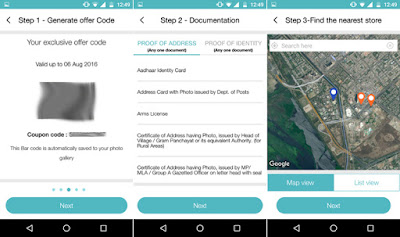
Steps To Generate Jio Barcode From All 2G 3G 4G Devices:


1.) Download Old MYJIO Apk From Here:-
Download Old MYJIO Apk
Latest MYJIO App will Not Work As Reliance Have Corrected Some Bugs.

2.) Now Open The MyJIO app and Download All The JIO Apps. Something Like 10 Apps

3.) Now After Downloading All The JIO APPS Now Clear The Data Of MYJIO APP

4.) Switch Off The Internet DATA.

5.) Open Myjio app >> Click Open Button Beside MYJIO (Your Internet Should Be Off)

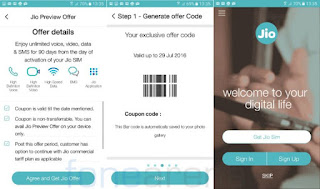
6.) You can See ”GET JIO SIM” Option in Next Page.
 Trick To Generate Reliance Jio Barcode From Any 2G/3G Device
7.) Open The Internet Data and Instantly Click On ” GET JIO SIM ” >> Complete Whole Process In Next

8.) Cool!! You have Got the Barcode!!
 Trick To Generate Reliance Jio Barcode From Any 2G/3G Device
9.) Go to JIO Store, Show The Barcode and Get The Free JIO SIM.


Read More
  • Share This:  
  •  Facebook
  •  Twitter
  •  Google+
  •  Stumble
  •  Digg
loading...

Friday, 14 October 2016

बीएसएनएल ने दिया त्योहारों पर ग्राहकों को डबल इंटरनेट का तोहफा

 Psk4u     16:37     Free Internet Data, Network Tricks(Other), Special Tricks, Tricks in Hindi     No comments   


इसे जियो का असर कह लें, या अपने ईमानदार ग्राहकों के लिए तोहफा। बीएसएनएल ने अपने कई डाटा प्लान्स में 10 अक्टूबर से 31 अक्टूबर के लिए परिवर्तन कर दिया है। बीएसएनएल इस ऑफर पीरियड के तहत अपने ग्राहकों पहले की कीमतों पर दोगुना डेटा देने की घोषणा की है।


बीएसएनएल दे रहा है, त्योहारों में डबल डेटा
बीएसएनएल ने इस ऑफर के तहत 4 टैरिफ वाउचर्स लांच किए हैं। जिनकी वैद्यता पूरे 365 दिन की है। ₹1498 के एसटीवी में जहाँ 9जीबी डेटा मिलता था, वहां अब 18जीबी 3जी डेटा मिलेगा। ₹2798 में 18जीबी डेटा की जगह अब 36 जीबी डेटा मिलेगा। ₹3998 में 30 जीबी की जगह 60जीबी डेटा मिलेगा। ₹4498 में 40 जीबी की जगह अब 80 जीबी डेटा मिलेगा।

इन चारों प्लान्स को लेकर बीएसएनएल ने अपने ग्राहकों को लुभाने का अच्छा प्रयास किया है। चूँकि इन डेटा पैक्स की वैद्यता पूरे 365 दिन है और जियो जो बीएसएनएल को सबसे बड़ी टक्कर दे रहा है, के प्लान्स 31 दिसम्बर, 2016 को ख़त्म हो रहें हैं। ऐसे में ग्राहकों के लिए ये बेहतर मौका है।
Read More
  • Share This:  
  •  Facebook
  •  Twitter
  •  Google+
  •  Stumble
  •  Digg
loading...

Thursday, 6 October 2016

How To Generate Reliance Jio 4G Unlimited Barcodes Working 100%

 Psk4u     11:14     Reliance Tricks, Special Tricks     No comments   

Hello Friends today we are again with a new trick to generate Reliance Jio Barcodes, 
This trick is so easy and work for all for free, you have to just follow some steps which we  are giving to you and you can generate 10,100,200 and even more Barcodes for Free, Reliance jio is now so popular in india all struggling to get a sim while some are even buying it for black for Rs 200, 300 and even 500-1500.

If you want a reliance jio sim then you should have a 4G phone with VoLTE support To make voice calls, only 1 sim is allowed per phone because only "1 Barcode" is generated  per phone so you cannot get more than one sim if you have one 4G phone,
so we are presenting you the latest trick for our users to generate reliance jio multiple barcode for free, Lets start the process.

How to generate Multiple Reliance Jio Barcodes In A Single Device -

1. First of all Download >> Nox App Player on your pc/laptop.

2. After Downloading "Nox App Player" Install it and open it.
How To Generate Reliance Jio 4G Unlimited Barcodes Working 100%
 
3. Go to General settings and select Root Mode on and save.
 
How To Generate Reliance Jio 4G Unlimited Barcodes Working 100%
4. Download "My jio old apk"  and click on 3pk on Nox app player and find myjio old apk and install the app and open it, Don't forgot to download rest 12 apps from playstore.

Old Myjio App Download - Download Here
How To Generate Reliance Jio 4G Unlimited Barcodes Working 100%
 
5. Now open setting and go to settings and select properties settings, then go to IMIE, click on it and set the IMIE Given in the image below, and change the Imie every time after you generate one barcode.
 
How To Generate Reliance Jio 4G Unlimited Barcodes Working 100%
6. Put IMIE No-357050625977430 and change the last  6 digits every time after generating Barcodes.

7.Open My jio app and click on Get jio see the given image below.
 
How To Generate Reliance Jio 4G Unlimited Barcodes Working 100%
8. Generate the Jio barcode successfully,take a photo of the barcode and save it.

9. After Generating one barcode,"uninstall the my jio app" and then go to settings and change the IMIE no and save it then Again re install the"My Jio App", again open the 
My Jio App click on Get Jio sim, generate Barcode and save it. Do the Process again and again to Generate Multiple Barcodes.

10. Thats it Now you can Generate Unlimited Jio Barcodes for FREE, Take the barcode to the nearest reliance Store and get the sim for free.
Read More
  • Share This:  
  •  Facebook
  •  Twitter
  •  Google+
  •  Stumble
  •  Digg
loading...

Wednesday, 28 September 2016

Trick to Get Maximum Speed Upon Reliance Jio [No Vpn]

 Unknown     10:28     Reliance Tricks, Special Tricks     No comments   

Howdy all, Sharing a simple but best Trick to Get Maximum Speed Upon Reliance Jio there is No need Vpn Required. 

Trick to Get Maximum Speed Upon Reliance Jio [No Vpn]


Well we will be dealing with the issue for Reliance Jio speed (Within 4GB daily limit), as many of you have already experienced Reliance Jio 4G speed initially Reliance Jio speed was really great as.


Lets get started !

We will be simply making a new access point APN to boost our Reliance Jio internet speed which will works on both with browsing as well as downloading, so lets quickly move to the settings.
The below shared configs can be used on any devices which is capable of making connectivity with internet with dongles and well as smartphones.


Get Maximum Speed Upon Reliance Jio

How to make new fresh setting and apply :


  • First if you using a Android smartphone just need to tap on Settings >> Mobile networks >> Access Point (This might be different as per the manufacturer default OS).
  • Now tap on Create new access point settings.
  • Enter Access point name as : Reliance Jio
  • Enter Access point as : JIONET
  • Apn Type : Default
  • Enter Proxy : 202.88.241.12
  • Port  : 80
  • Enter Server name : www.google.com
  • Save setting, enable mobile data transfer.
  • All done !

Enjoy!!!!!!!!
Read More
  • Share This:  
  •  Facebook
  •  Twitter
  •  Google+
  •  Stumble
  •  Digg
loading...
Older Posts Home

Popular Posts

  • Airtel New 3G 4G Free Internet Trick With Universal VPN Revision Handler - February 2017
    Airtel New 3G 4G Vpn Trick With Universal Vpn Handler.  I am back here with new airtel free internet vpn trick with universal vpn hand...
  • How To Hack Password Protected .Rar Files
    How To Hack Password Protected .Rar Files   Today we post Method Trick to Unlock or extract password protected .rar or winrar files....
  • Trick To Use Unlimited Data In Tunnel Guru Without Tunnel Guru Premium Account [February 2016]
    Now trending is the Airtel DNS trick. Tunnelguru has the easy interface that provides DNS tunneling . It provides 150mb/ ...
  • Trick To Hack Airtel Digital Tv - Watch Channels For Free
    Steps For Airtel Digital TV Hack Trick to Watch Free Channels :- First of All, Press Menu Button on your Airte...
  • Best Facebook Auto Liker Sites 2017
    Best Facebook Auto Liker Sites List For Get Free Unlimited Facebook Likes. Facebook auto liker tools are used by many facebook users fo...
  • How do I get the owner's details from the vehicle registration number in India (Hindi)
    Ministry of Road Transport and Highways has developed search systems accessible through both SMS and Web for the use of Common Citizen...
  • How to Get Unlimited Friend Request on facebook
    How to Get Unlimited Friend Request on facebook without any blocking issue.This is safe trick to get friend requests Now Facebook...
  • Android Pattern Lock Can Be Cracked In Just 5 Attempt: Here's how
    The popular pattern lock system used to secure millions of Android smartphones can be cracked within just five attempts - and more comp...
  • Uptobox Free Premium Account {Openly Posted} - Valid Till November 2016
    Uptobox.com launch Uptostream.com. You can now stream your files and they are available in HD (360p, 480p, 720p, 1080p) on al...
  • How To Make Unlimited Fake Accounts In Droid VPN For Unlimited Usage Without Premium Account
    Hello Friends, Today Am Sharing This Secret Trick To make Unlimited Droid Vpn Fake Accounts.  Droid Vpn gives only 100mb Bandwidth Limit P...
Categories

  • Android Tricks
  • Blogging Tricks
  • Earn Money Online
  • Facebook Tricks
  • Free
  • Free Internet Data
  • Hacking Tricks
  • How To
  • Information Zone
  • Network Tricks(Airtel)
  • Network Tricks(Other)
  • Online Shopping
  • Opera Tricks
  • Other Tricks
  • PC Tricks
  • Premium Accounts
  • Promo Codes
  • Recharge
  • Reliance Tricks
  • Special Tricks
  • Tech News
  • Tricks in Hindi
  • Troid VPN
  • Tutorials
  • Unlimited
  • Whats App
@PSK4U. Powered by Blogger.

Translate

Protected by Copyscape

Join Us On Facebook

Join Us On Facebook
Like Us On Facebook

Copyright © TECH ADVICE | Powered by Blogger
Design by Pushpendra Singh Koshyari |